Spectrum Modem Reset: Restart vs Factory Reset (SONU and D3.1 MDU)
How to restart a Spectrum SONU or D3.1 MDU modem with the reset button (4 seconds) and when to factory reset (10 seconds).
On the Spectrum SONU and D3.1 MDU modems one reset button does two jobs, and the only difference is how long you hold it. Holding it for 4 seconds restarts the modem. Holding it for 10 seconds or more erases the settings. This follows Spectrum’s user guides for these two models.
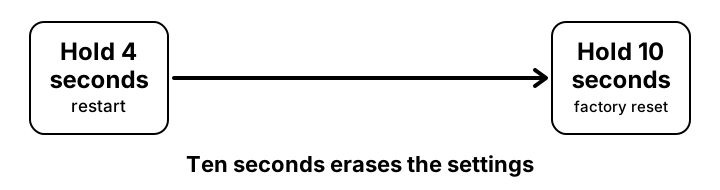
How to restart or reset
- Check the lights on the top of the modem are on. The guide says to press the button while the front lights are lit.
- To restart (power cycle): press and hold the reset button for 4 seconds, then let go and wait a few minutes for the status light to turn solid blue.
- To factory reset: press and hold the button for 10 seconds (the D3.1 MDU guide says more than 10 seconds). All settings are deleted.
- Wait until the modem has started again. Then restart your own router so it picks up the connection.
- If the internet still fails, read the light guide or call Spectrum on (800) 495-6590.
Which hold time does what
| Hold the button | What happens | Settings lost? |
|---|---|---|
| 4 seconds | Restart (power cycle) | No |
| 10 seconds or more | Factory reset to default settings | Yes, all of them |
Source: Spectrum SONU and D3.1 MDU user guides.
If the reset does not help
- I held it too long and now the modem has reset
- Settings are gone. Spectrum manages most of these modems, so call (800) 495-6590 or use spectrum.net/support to have it set up again.
- Nothing happens when I press the button
- Make sure the modem has power and the lights are on, then hold the button for the full time.
- I only wanted to restart it
- Use the 4 second hold. You can also unplug the power adapter and plug it back in.
- It will not start after a reset
- Check the power adapter is fully pushed in. The SONU uses a 12 V adapter and the D3.1 MDU a 54 V one, so only use the one supplied.
- The modem is damaged or very hot
- The guide says to unplug the power adapter from the wall straight away. Do not use it again until Spectrum has checked it.
Questions people ask about Spectrum modem reset
- Will a factory reset change my Wi-Fi password?
- These modems have no Wi-Fi in the guides. If you use your own router, a modem reset does not change the router’s Wi-Fi settings.
- How do I reset my own router?
- Different router, different steps. See the <a href="/router/forgot-password-reset">router reset guide</a>.
Related pages
- Find your router IP
- Login not working
- Forgot password and reset
- Change Wi-Fi password
- Default IP list
- Security checklist